
Services
For: Organization owners and billing administrators activating and managing Axemere subscriptions.
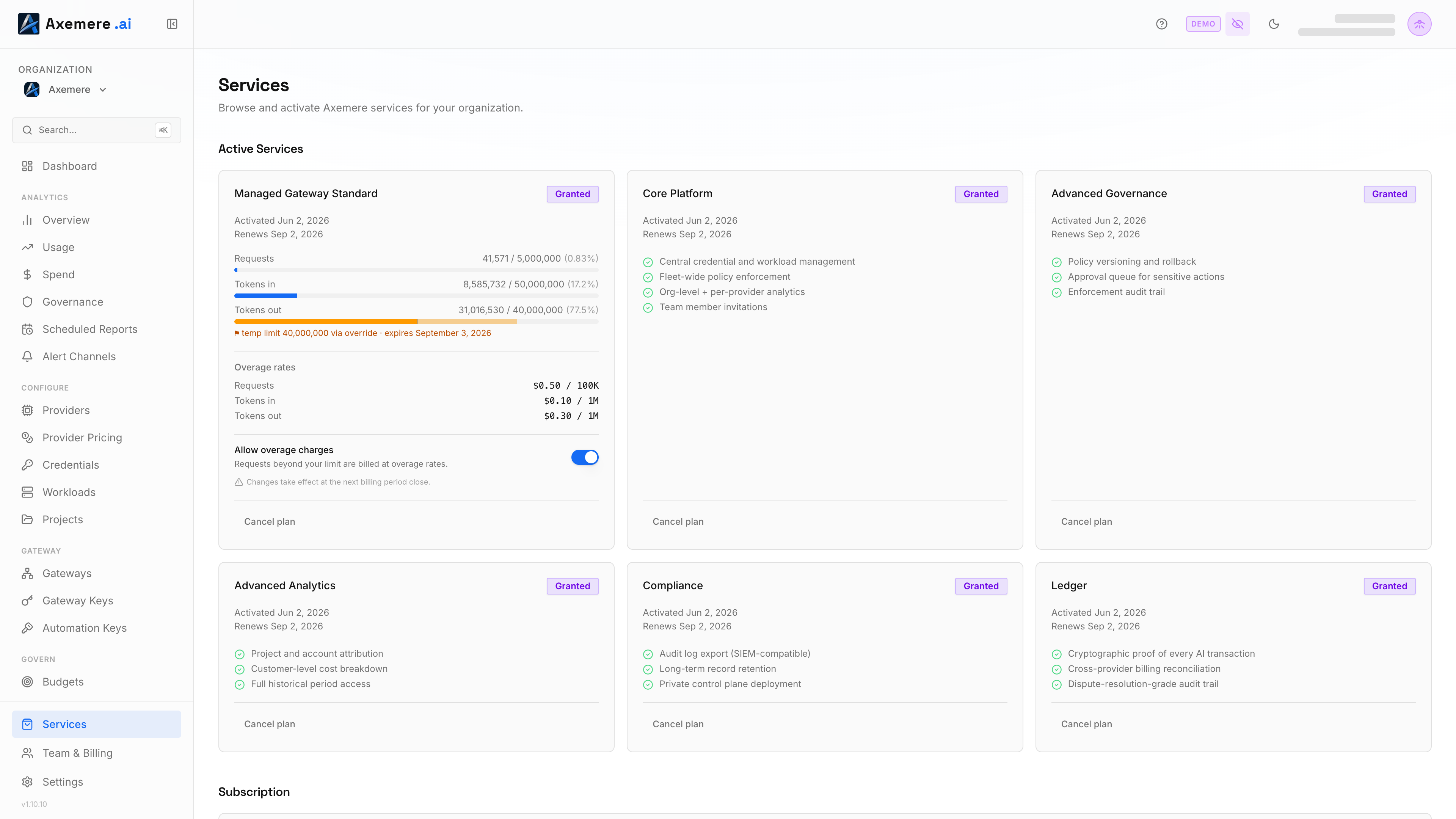
The Services page is where you activate packages, manage your subscription, and monitor current-period usage against your plan limits.
Navigation: console.axemere.ai/services
Required role: Billing, Admin, or Owner
Table of Contents
- Package Overview
- Activating a Package
- Free Trial
- Current Usage
- Overage
- Cancelling a Subscription
- Package Dependencies
Package Overview
Axemere packages fall into two categories: Managed Gateway (infrastructure) and Control Plane (governance and analytics). The self-hosted gateway is a deployment option rather than its own package — it requires Core Platform to run, since every instance registers to your org and connects to the control plane.
Managed Gateway
| Package | Price | Included |
|---|---|---|
| Growth Pack | $25/mo per pack | 10M tokens in / 25M tokens out per pack, unlimited requests (abuse-prevention rate limit only), multiple API keys; buy more packs at a volume discount as usage grows |
| Dedicated | Contact Sales | Custom capacity, dedicated infrastructure, SLA-backed support |
Managed Gateway packages are standalone; they work without any Control Plane package. Axemere hosts and operates the gateway infrastructure.
Control Plane Packages
| Package | Price | What It Adds |
|---|---|---|
| Core Platform | $1,299/mo | Central credential and workload management, fleet-wide policy, org-level analytics, team invitations |
| Advanced Governance | $699/mo | Policy versioning, approval workflows, enforcement audit trail |
| Advanced Analytics | $699/mo | Project, account, and customer attribution; full historical period access |
| Compliance | $1,499/mo | Audit log export (SIEM-compatible), long-term retention, private control plane |
| Ledger | $699/mo + tiered % | Merkle-anchored proofs, spend reconciliation, non-repudiation |
Control Plane packages require Core Platform as a prerequisite. Some packages have additional dependencies; see Package Dependencies.
Activating a Package
- Open Services in the sidebar.
- Find the package you want to activate.
- Click Activate (or Start Trial for packages with trial availability).
- Review the confirmation modal; it shows the price, included features, and any prerequisite packages that will also be activated.
- Confirm the activation.
Payment: If your organization already has an active Stripe subscription, additional packages are added to your existing subscription inline. If this is your first package, you will be redirected to Stripe Checkout to enter payment details.
Free Trial
Growth Pack includes a 30-day free trial (1 pack, full feature set) with no credit card required. To start a trial:
- Click Start Free Trial on the Growth Pack card.
- Confirm in the dialog. The trial begins immediately.
During the trial, all Growth Pack features are available. The trial converts to a paid subscription or expires at the end of 30 days. You can activate a paid plan (including choosing a different pack quantity) at any time during the trial.
Current Usage
The Services page itself doesn't show a live usage-vs-quota summary — for that, see the Dashboard, which tracks requests and token consumption against your plan limits.
Overage
By default, overage is off; the gateway pauses traffic when you reach your included token limit. To allow traffic to continue (at additional cost):
- On the Services page, locate your active Growth Pack subscription.
- Toggle Allow overage on.
Overage is billed at $2.70 per 1M tokens in and $1.08 per 1M tokens out beyond your purchased pack capacity. Requests are never billed; only a flat abuse-prevention rate limit applies. Estimated overage charges are shown on the Dashboard when overage is active.
Cancelling a Subscription
One package: click Cancel plan on that package's Active Services card and confirm. If other held packages depend on it, the confirmation dialog lists them and cancels all of them together, effective the same date — a dependent is never left active with its prerequisite gone.
Everything at once: a Subscription section (shown once you hold at least one billed package) offers Cancel your entire subscription — ends every active package on the same billing-period end date, with no refund for the current period.
Either way, cancellation takes effect at the end of the current billing period; service stays active until then. A Cancelling badge (or a "Scheduled to cancel" state for the whole subscription) is shown, with an undo action available any time before the period ends.
Package Dependencies
Some packages require others to be active first:
Core Platform
├── Advanced Governance
│   └── Compliance
└── Advanced Analytics
    └── Ledger
When you activate a package that has prerequisites, the console shows which prerequisites will be activated alongside it and what the combined price will be.
Related: Team & Billing | Dashboard | Get Started