
Provider Pricing
For: Platform operators configuring accurate cost tracking for AI provider requests.
Providers | Provider Pricing | Credentials | Workloads | Projects
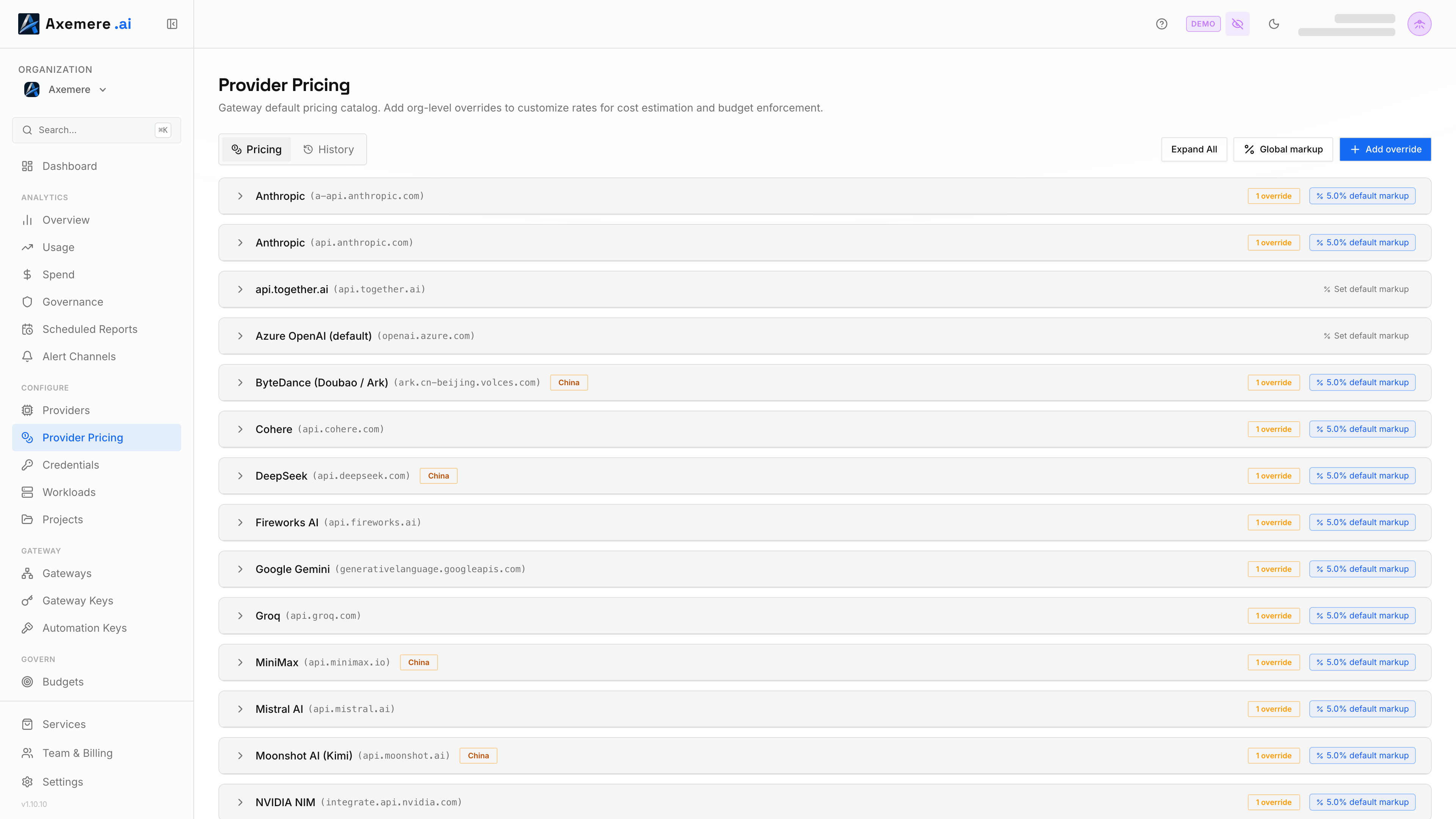
The Provider Pricing page lets you override the per-token costs that Axemere uses to compute cost_usd on each execution record. This is useful when your actual provider costs differ from the built-in pricing model: for example, when routing through Azure OpenAI with negotiated rates, or when using a custom provider for a private model.
Navigation: console.axemere.ai/pricing
Required role: Admin or Owner to create/edit overrides; all roles can view
Table of Contents
- How Pricing Works
- Viewing Current Overrides
- Adding a Price Override
- Bulk-Apply Markup
- Editing an Override
- Deleting an Override
- Pricing History
How Pricing Works
When the gateway processes a request, it computes cost_usd from the token counts in the response:
cost_usd = (tokens_in × price_per_input_token) + (tokens_out × price_per_output_token)
By default, the gateway uses its built-in pricing manifest, which reflects public list prices for each model. If you set a custom price override for a connector, that override takes precedence.
Cost data flows through to:
- Analytics Overview — total spend
- Analytics Spend — spend broken down by provider/workload/project
- Govern → Budgets — spend vs. project budget limits
- Records —
cost_usdon individual execution records
Viewing Current Overrides
The Provider Pricing page shows a table of all active price overrides, grouped by connector (provider hostname). For each override:
| Column | Description |
|---|---|
| Connector | The provider hostname the override applies to |
| Model (optional) | Specific model, or applies to all models for that connector |
| Input price | Cost per input token (in USD) |
| Output price | Cost per output token (in USD) |
| Last updated | When the override was last modified |
If no override exists for a connector, the built-in manifest price is used.
Adding a Price Override
- Click Add Override.
- Select the connector from the dropdown (includes both built-in providers and custom connectors).
- Optionally specify a model name (leave blank to apply to all models for that connector).
- Enter the input price per token and output price per token in USD.
- Click Save.
Prices apply immediately to all new requests. Historical cost data is not retroactively recalculated.
Bulk-Apply Markup
The Bulk-apply markup button (Pricing tab only) overwrites the markup on every provider hostname at once — a one-time bulk write, not a persistent org-wide setting. It directly sets each provider's own override row, so running it clobbers any existing per-provider customizations rather than sitting beneath them as a fallback; there's no independent "global default" stored separately from the providers it was applied to.
Editing an Override
Click the Edit (pencil) icon next to any override to open the edit form. Update the prices and save. The previous prices are preserved in the pricing history.
Deleting an Override
Click the Delete (trash) icon next to an override and confirm. The connector reverts to the built-in manifest price immediately.
Pricing History
Switch to the History tab (next to Pricing, at the top of the page) for an audit log of pricing overrides your organization has added, changed, or removed — filterable by provider and by a From/To date range. Gateway-wide catalog price syncs aren't org-specific and don't appear here, only your org's own override changes. Useful for reconciling cost data when prices changed mid-period.
Related: Providers | Custom Provider | NVIDIA NIM — Self-Hosted Containers | Analytics Spend | Govern → Budgets | Pricing Reference