
Projects
For: Platform operators setting up spend attribution and budget tracking by organizational unit.
Providers | Provider Pricing | Credentials | Workloads | Policies | Projects |
Projects are named identifiers that group AI usage across workloads for attribution, analytics, and budget monitoring. Requests tagged with a project appear in spend breakdowns and budget reports grouped by that project.
Navigation: console.axemere.ai/projects
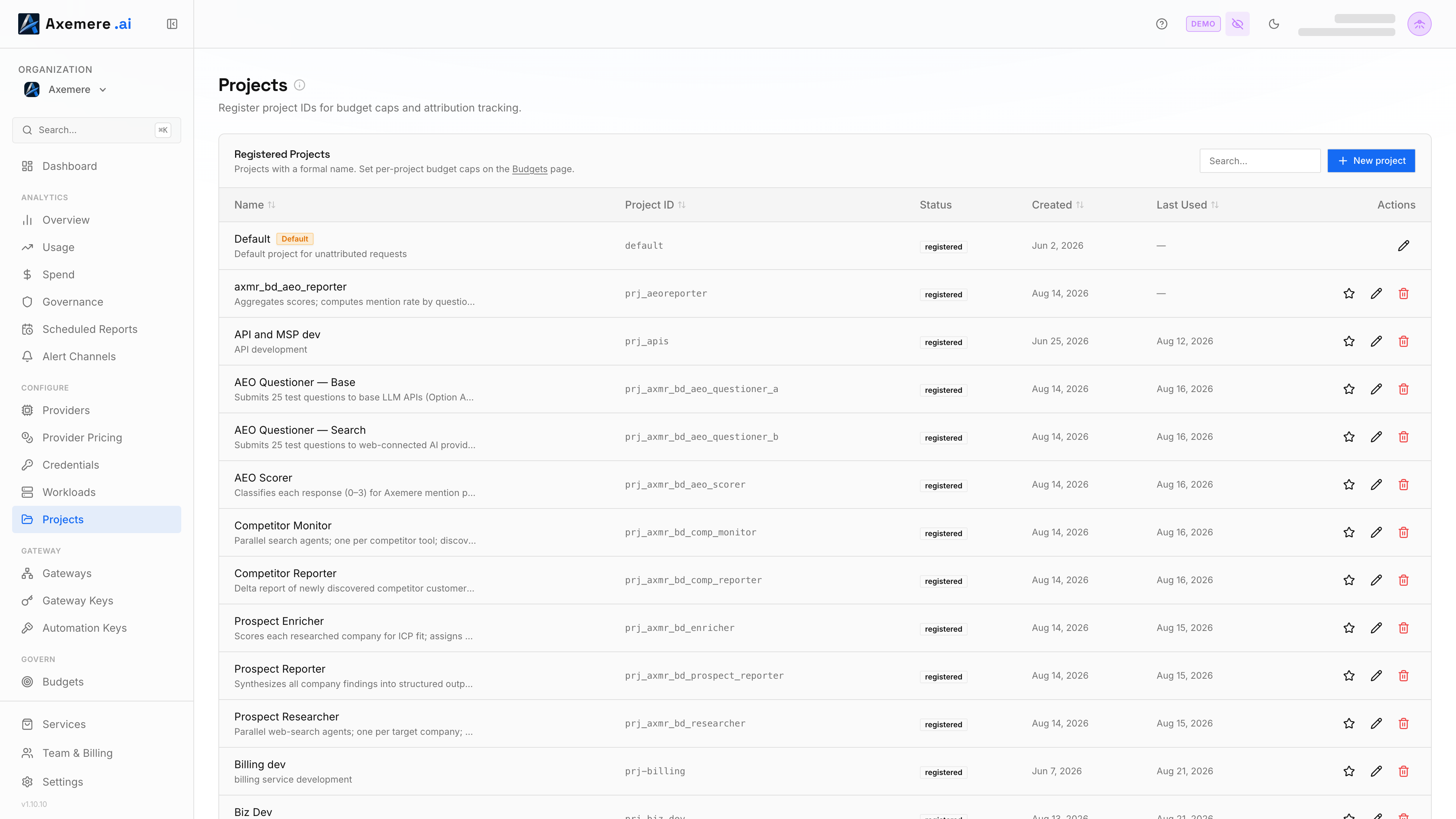
Table of Contents
- What Projects Are
- Creating a Project
- Editing and Deleting Projects
- Requiring Project Attribution
- Tagging Requests with a Project
- Viewing Project Data
What Projects Are
A project is an immutable ID paired with a human-readable name. Projects are used to:
- Track spend by team or feature: see cost broken down per project in Analytics → Spend
- Enforce budgets: set per-project monthly spend limits in Policies and monitor them in Govern → Budgets
- Attribute requests: appear as a dimension in the Attribution view
Projects are organization-scoped and available across all workloads.
Creating a Project
- Click New Project.
- Enter a Project ID: a short, lowercase slug that will appear in request headers and analytics (e.g.,
billing-service,ml-experiments). The ID cannot be changed after creation. - Enter a Project Name: a human-readable display name.
- Click Create.
Editing and Deleting Projects
- Edit name: Click the Edit (pencil) icon next to a project to update its display name. The ID cannot be changed.
- Delete: Click the Delete (trash) icon and confirm. Deleting a project does not delete historical records tagged with that project ID; they will show the bare ID without a name.
Search: Use the search box to filter the project list by name or ID when you have many projects.
Requiring Project Attribution
A toggle at the top of the Projects page controls whether a project tag is required on every request:
| Setting | Behavior |
|---|---|
| Off (default) | Requests without a project tag are allowed and appear under "unattributed" in analytics |
| On | Requests without a valid project tag are denied by the gateway with a policy error |
Enable this setting when you want to ensure all requests are properly attributed before they are allowed through.
Tagging Requests with a Project
Pass the project ID as a request header:
X-Axemere-Project: billing-service
Or encode it in the proxy URL path (supported on some SDK configurations). See for the full attribution header reference.
Viewing Project Data
Project data flows into several analytics views:
- Analytics → Spend — "By Project" tab shows requests, cost, and tokens per project
- Govern → Budgets — per-project spend vs. configured monthly limits
- Attribution — project dimension alongside workloads, accounts, and customers
- Records — filter execution records by project
Related: | Analytics → Spend | Govern → Budgets | Policies