
Export Destinations
For: Platform operators configuring audit event forwarding for self-hosted gateway nodes.
Operations Overview | Telemetry | CP Connectivity | Export Destinations
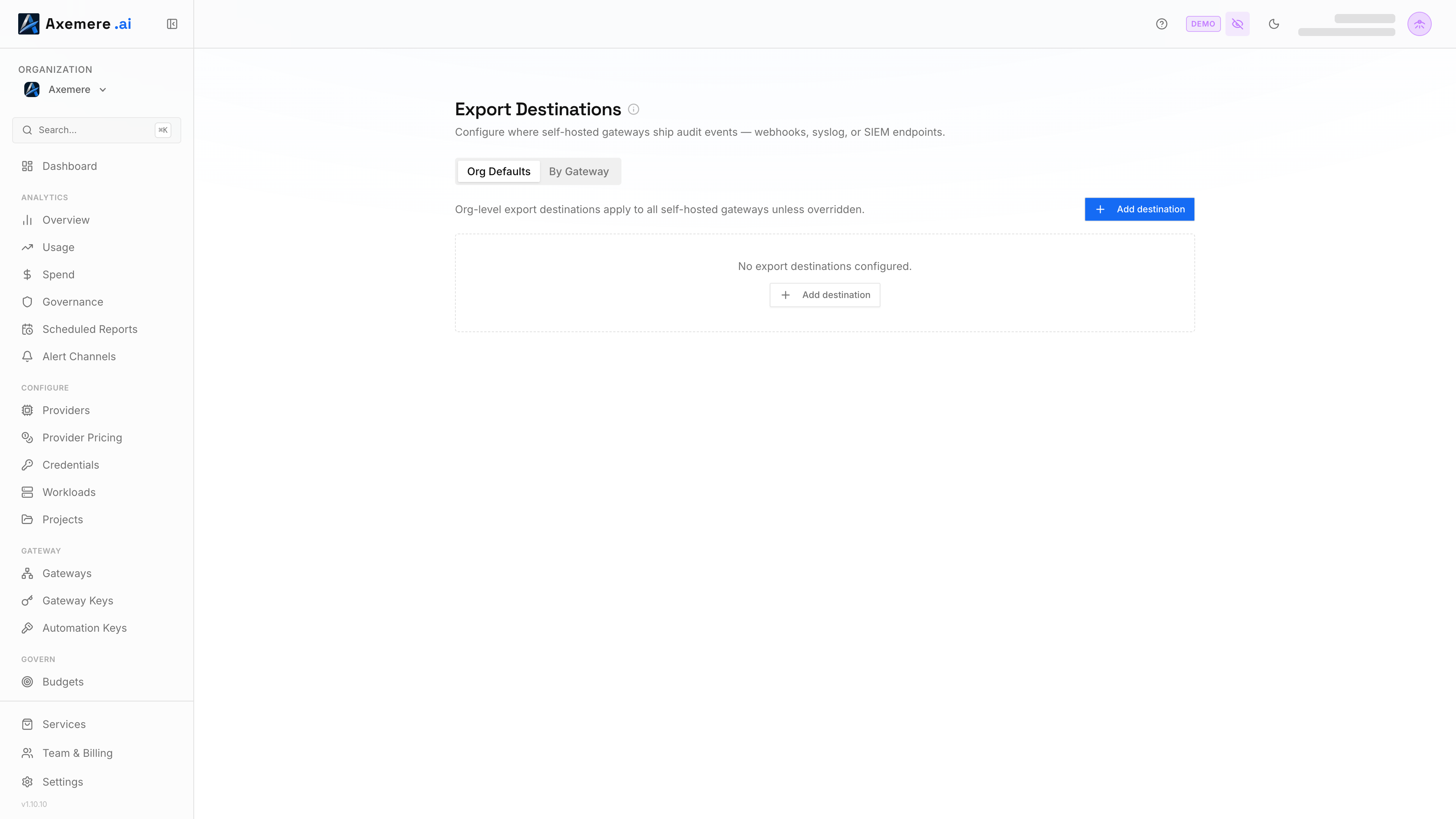
Export destinations define where self-hosted gateway nodes ship audit events (every request, policy decision, and security signal) in real time. Configure webhook endpoints (HTTP POST), syslog receivers, or both.
Table of Contents
- Overview
- Destination Types
- Org Defaults vs. Node-Specific
- Configuring Destinations
- Testing a Destination
- Event Payload
- Troubleshooting
Overview
Audit events flow from the gateway runtime to export destinations continuously as requests are processed. Multiple destinations can be configured: events fan out to all active destinations simultaneously.
Export destinations are managed in the Axemere Console at Export Destinations (org-wide defaults) or per node via Gateways → [node] → Export.
Destination Types
| Type | Protocol | Endpoint format |
|---|---|---|
webhook | HTTP POST (JSON payload) | https://ingest.example.com/v1/events |
syslog | RFC 5424 over TCP or UDP | host:port (e.g. siem.example.com:514) |
Only webhook destinations support the Test button in the console. Syslog destinations return an informational response: verify connectivity by checking your syslog receiver's ingestion logs.
Org Defaults vs. Node-Specific
Override Model
Node-specific destinations replace org defaults; they do not add to them. This is the single most important thing to understand about how export routing works.
When a node has specific destinations configured, those are the only destinations that receive events from that node. Org defaults are completely bypassed regardless of the inheritance toggle setting.
Inheritance Fallback
The Inherit org defaults toggle is a fallback setting. It only takes effect when a node has no specific destinations of its own. This lets you:
- Configure org-wide SIEM defaults once.
- Enable inheritance on all nodes as a baseline.
- Override individual nodes with their own destinations as needed; removing those destinations automatically falls back to org defaults.
When a node has specific destinations and inheritance is toggled on, the console shows "Fallback only — active when this node has no specific destinations" to make this clear.
Behavior Reference
| Node configuration | Effective destinations |
|---|---|
| No specific destinations, inherit on | Org defaults |
| No specific destinations, inherit off | None — no events exported ⚠️ |
| Has specific destinations (any count) | Node-specific only |
| Has specific destinations + inherit on | Node-specific only (inherit has no effect) |
| Node-specific removed, inherit on | Org defaults (fallback activates automatically) |
| Node-specific removed, inherit off | None — no events exported ⚠️ |
Nodes with no destinations and inheritance off show a "no destinations" warning badge in the console.
Configuring Destinations
Org Defaults
Org-level destinations apply to any node that has no specific destinations and has inheritance enabled.
Console: Navigate to Export Destinations → Org Defaults → Add destination.
| Field | Description |
|---|---|
| Name | Display name — used only in the console |
| Type | webhook or syslog |
| Endpoint | Full URL (webhook) or host:port (syslog) |
| TLS enabled | Enable TLS for encrypted transport (recommended for production) |
| Active | Disable a destination without deleting it |
Changes to org defaults take effect the next time a node syncs its export configuration from the control plane.
Node-Specific Destinations
Override org defaults for individual nodes by configuring node-specific destinations.
Console — Export Destinations page: Navigate to Export Destinations → By Node, expand the node row, then click Add.
Console — Gateways page: Click the node row → Export tab → Add in the Node-specific section.
You can configure multiple node-specific destinations per node: events are delivered to all of them simultaneously.
Note on auth tokens: Auth tokens for webhook bearer authentication cannot be configured through the console form: the console shows an indicator when a token is already set, but does not expose a field to create or change it. Set
auth_tokenvia the admin API directly.
Testing a Destination
The Test button sends a synthetic test event to a webhook destination and reports the HTTP status and round-trip latency. Use this to verify:
- The endpoint URL is reachable from the control plane
- Any required network rules allow the connection
- The receiver accepts the event format
Test results are shown inline in the table as OK (Nms) or an error message. Results are not persisted: refresh the page to clear them.
Syslog destinations cannot be tested via the console; verify connectivity through your syslog receiver.
Event Payload
Webhook destinations receive JSON POST bodies. See the Telemetry guide for the full event schema including all event types (execution, approval, quarantine, risk_alert).
Troubleshooting
| Symptom | Likely cause | Fix |
|---|---|---|
| Node in "no destinations" state | Inheritance off and no specific dests | Enable Inherit org defaults or add a specific destination |
| Org defaults not reaching a node | Node has specific destinations configured | Override model: specific destinations replace org defaults; this is expected |
| Toggle turns on but reverts | Stale UI cache | Hard-refresh the page; the setting was saved but the display was reading from a cached resolved list |
| Test button returns error | Endpoint unreachable or rejecting connection | Verify the URL, TLS config, and any firewall rules between the control plane and the receiver |
| Events not arriving at receiver | Destination disabled, or node not synced | Check the Active toggle; wait for next CP sync cycle or restart the gateway |