
Attribution
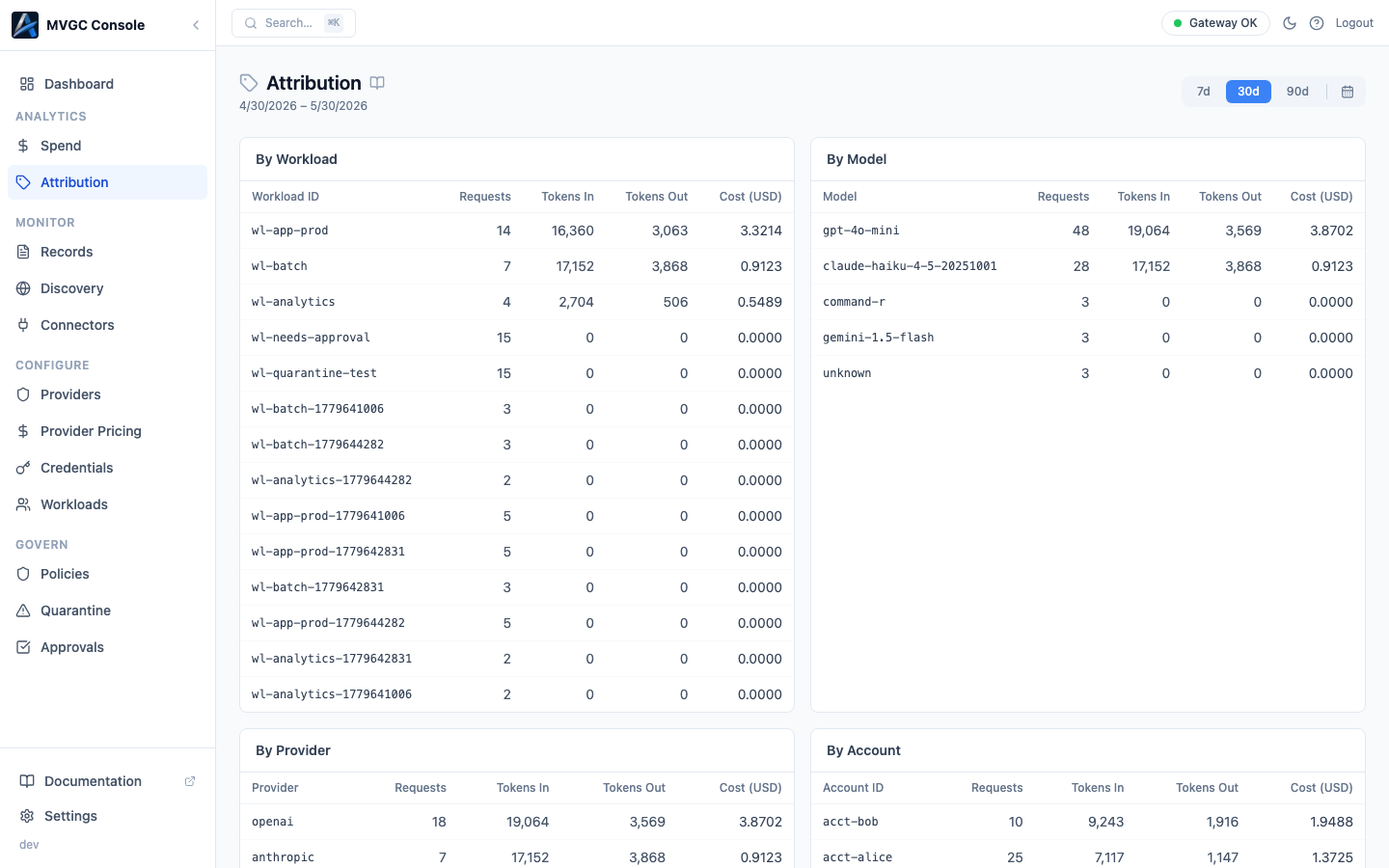
The Attribution page shows AI spend broken down across seven dimensions simultaneously. It answers questions like "how much did each workload spend this month?" or "how is cost split across nodes?"
Period selector
The period selector controls the time window: 7d, 30d, 90d, or MTD (month-to-date). All tables update when you change the period.
Dimension tables
Seven tables are displayed in a two-column grid, each showing a different breakdown of requests and cost:
| Table | Groups by |
|---|---|
| By Workload | Workload ID |
| By Model | Model |
| By Provider | Provider / connector |
| By Account | Attribution account label |
| By Customer | Attribution customer label |
| By Gateway Type | Ingress mode (shown as "Ingress Mode") |
| By Node | Gateway node |
Each table shows the dimension value, Requests, Tokens In, Tokens Out, and Cost (USD).
Label Keys
Below the dimension grid, the Label Keys section lists all custom label keys that have been attached to requests. Click a key to expand it and see each distinct value along with its request count and cost.
Setting attribution labels
Labels are attached to requests in three ways:
Workload defaults: set default account and customer labels on a workload in the Workloads page. Every request from that workload inherits these labels automatically.
Explicit proxy mode (headers): override or extend labels on individual requests by including attribution headers:
X-Attribution-Account: platform-team
X-Attribution-Customer: acme-corp
Transparent proxy mode (URL): embed labels in the request URL path when you cannot modify headers. Attribution dimensions are passed as path segments after the workload ID:
http://localhost:7080/w/my-service/proxy/openai/v1/chat/completions
For per-request attribution in transparent proxy mode, pass labels as query parameters or configure them as workload defaults; the URL path carries only the workload ID.
Per-request headers take precedence over workload defaults.
Using attribution for cost allocation
- Internal chargeback: allocate AI costs to the teams or projects that incurred them
- Customer billing: measure per-customer AI cost in multi-tenant applications
- Budget enforcement: identify which dimension is driving unexpected spend before setting policy limits