
Workloads
A workload is a named identity for a service or application that sends requests through the gateway. Workloads are how the gateway knows who is making a request, which policy rules apply, and how to attribute spend.
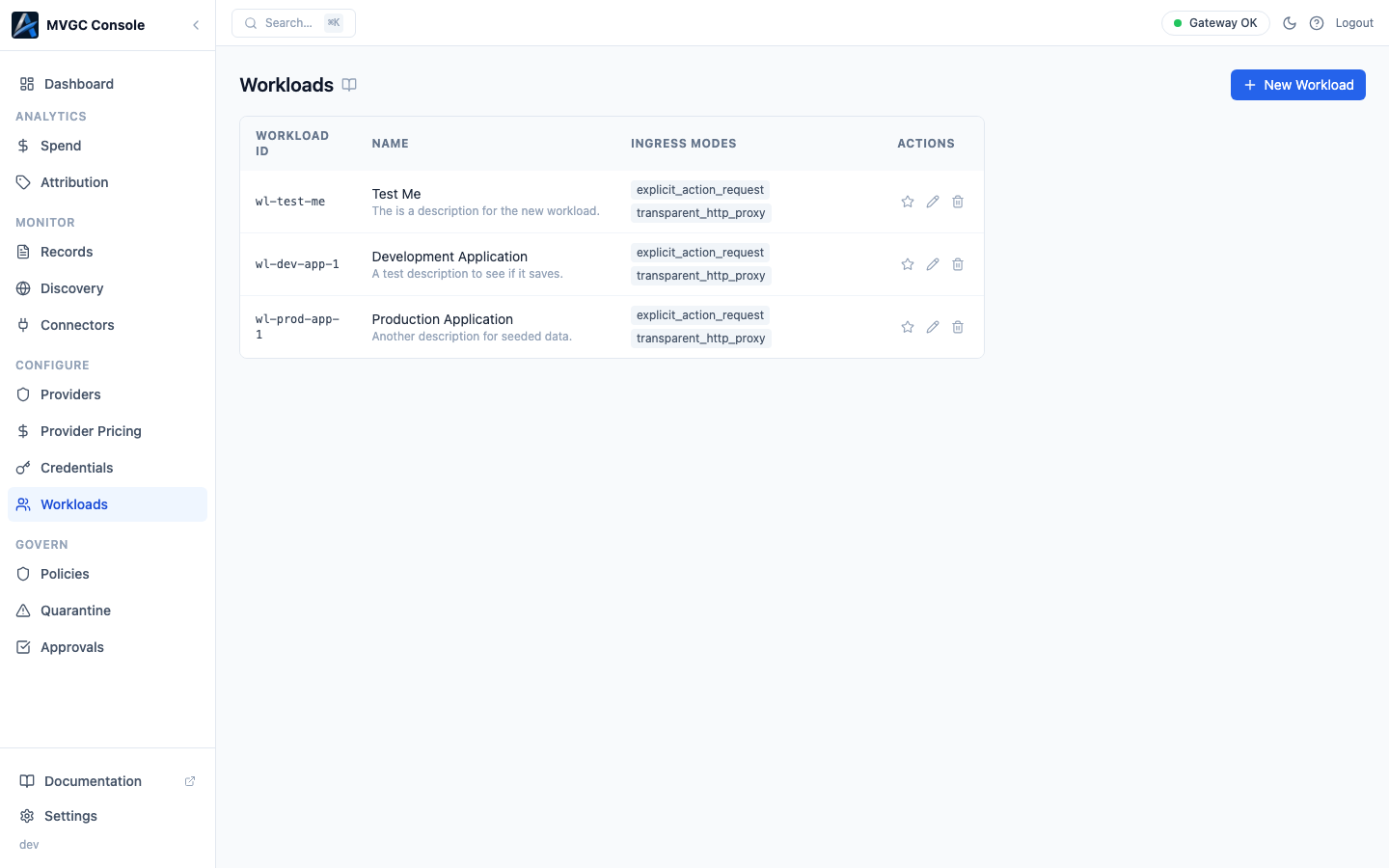
Fields
| Field | Description |
|---|---|
| Workload ID | The identifier your application includes in requests (as the X-Workload-Id header or via the SDK). Must be unique within your gateway. |
| Name | Human-readable label shown in the console and in records. |
| Description | Optional note describing what this workload does. |
| Allowed ingress modes | Which request modes are permitted: proxy, transparent, or both. Requests arriving via a disallowed mode are denied before policy evaluation. |
| Default attribution | Labels applied to requests from this workload when no per-request labels are provided (account, customer, project, environment). Used for spend attribution and drill-downs. |
Creating a workload
Click New Workload in the top right. Fill in the workload ID and name at minimum; the other fields are optional. Click Save.
Your application passes the workload ID to the gateway in one of two ways depending on the ingress mode:
Explicit proxy mode: include the workload ID as a request header:
X-Workload-Id: my-service
Transparent proxy mode: embed the workload ID in the request URL path:
http://localhost:7080/w/<workload_id>/proxy/<provider>/v1/<endpoint>
For example:
http://localhost:7080/w/my-service/proxy/openai/v1/chat/completions
The /w/<workload_id> prefix identifies the workload without requiring any header changes to your application. This is useful when you cannot modify request headers (e.g., routing traffic from a third-party tool or a TLS-pinned client).
Editing and deleting
Click the row to open the workload detail panel. Click Edit to modify fields. To delete, open the panel and click Delete; this removes the workload definition but does not affect historical records.
CP-connected mode
In CP-connected mode, the Workloads page is read-only. Workload configuration is managed in the Cloud Console at console.axemere.ai, where changes are synced to your gateway automatically.