
Quarantine
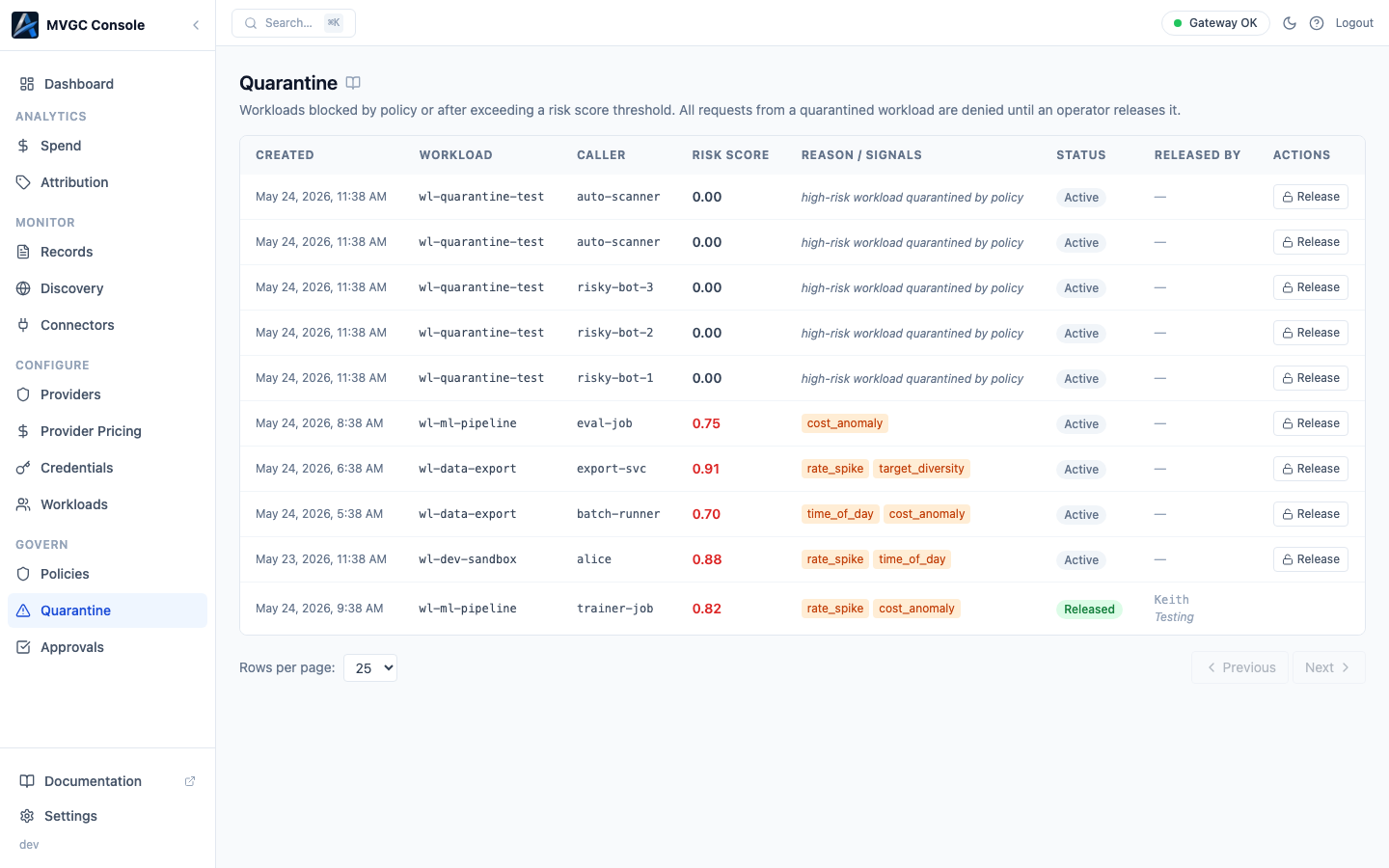
Quarantine blocks all new requests from a specific workload. Unlike Approvals (which hold individual requests), quarantine acts at the workload level: once a workload is quarantined, every request from it is denied until an operator releases it.
What triggers quarantine
A workload can be quarantined in two ways:
Risk scorer threshold: the gateway's risk scorer assigns a score to requests based on content signals. If a workload accumulates a score above the configured threshold, it is automatically quarantined.
Policy rule: a quarantine action in your policy can quarantine a workload immediately when a specific condition is met:
rules:
  - action: quarantine
    match:
      workload: suspicious-service
    reason: "Quarantined by policy rule"
Table columns
| Column | Description |
|---|---|
| Created | When the quarantine was triggered |
| Workload | The workload that was quarantined |
| Caller | The caller ID associated with the triggering request |
| Risk Score | A decimal from 0.00 to 1.00; displayed in red when ≥ 0.70 |
| Reason / Signals | Signal badges (e.g., PII_DETECTED) if the risk scorer triggered; otherwise the policy rule reason in italic |
| Status | Active or Released |
| Released By | Who released the quarantine, and their reason |
| Actions | Release button for active quarantines |
Releasing a quarantine
Click Release on an active quarantine row. A modal opens where you can optionally provide:
- Your name or ID: recorded with the release
- Reason: a short explanation of why you are releasing the workload
Both fields are optional. Confirm with Release to allow the workload to resume making requests.
Requests that were blocked during the quarantine period are not automatically replayed; clients need to retry.
Reviewing before releasing
Before releasing, check the Records page filtered to the quarantined workload to understand what traffic was coming from it. If the behavior looks like a misconfiguration rather than a threat, fix the application before releasing.
Pagination
Rows per page: 10, 25, or 50. Pagination uses Previous / Next token-based navigation.