
Discovery
The Discovery page shows every AI provider hostname the gateway has seen in the last 30 days: both requests that passed policy and reached the provider, and requests that were blocked.
Discovery is most useful in transparent proxy mode, where clients route all outbound HTTPS traffic through the gateway. In that mode, the Discovery table reveals shadow AI usage: provider hosts with blocked traffic indicate applications making AI calls that are not registered as workloads or are being denied by policy.
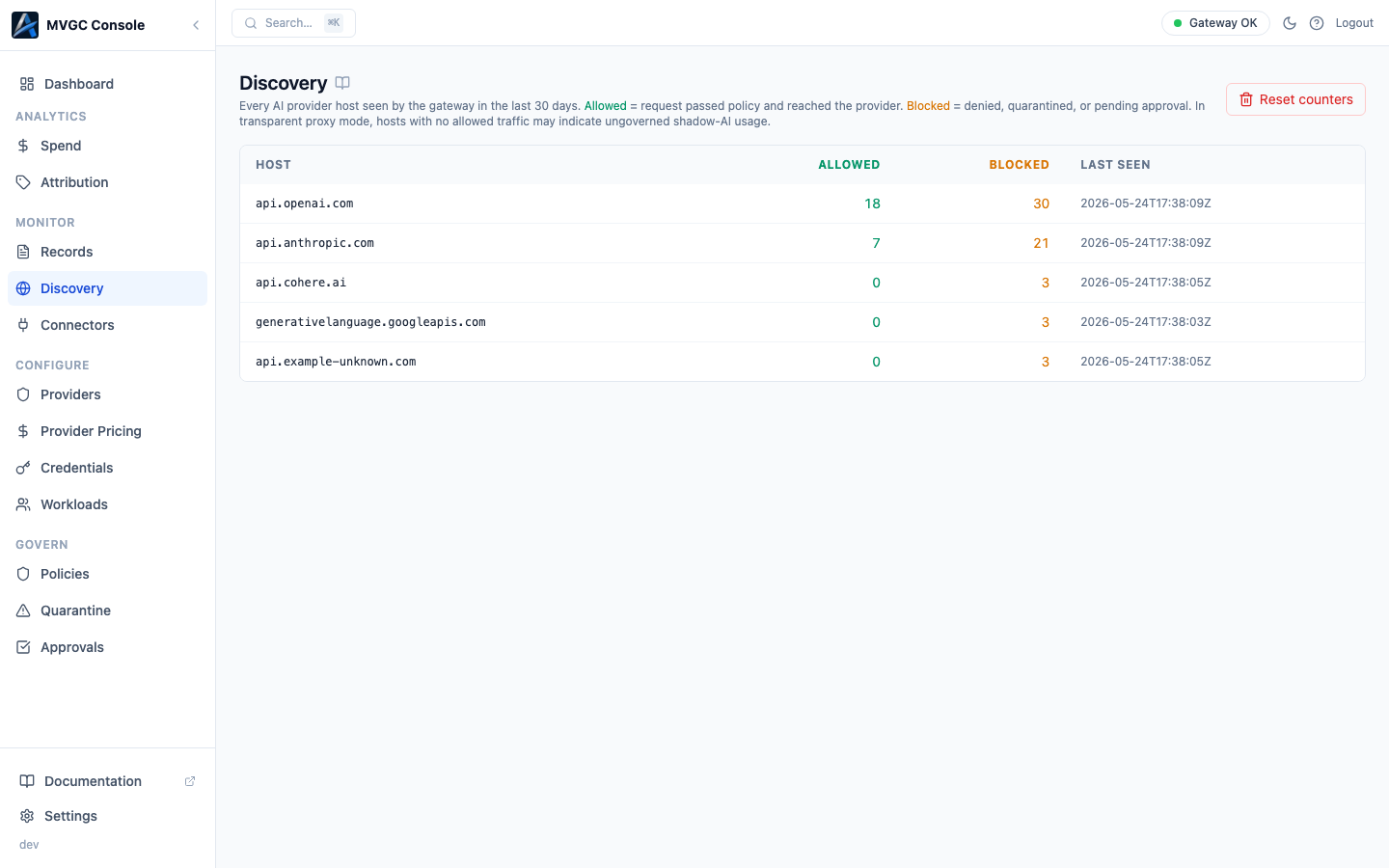
Table columns
| Column | Description |
|---|---|
| Host | The provider hostname observed (e.g., api.openai.com) |
| Allowed | Number of requests that passed policy and reached the provider |
| Blocked | Number of requests that were denied, quarantined, or held for approval |
| Last Seen | When the most recent request to this host was observed |
A host with a high blocked count and zero allowed count means all traffic to that provider is being intercepted and denied, which may indicate an ungoverned application trying to reach a provider that is not enabled in your Providers configuration.
Resetting counters
Click Reset counters to clear all discovery data. This is useful when you want a clean baseline after making routing or policy changes. The reset cannot be undone.