
Records
The Records page is a paginated log of every request the gateway has processed. Each row is an execution record showing the outcome and key metadata for one API call.
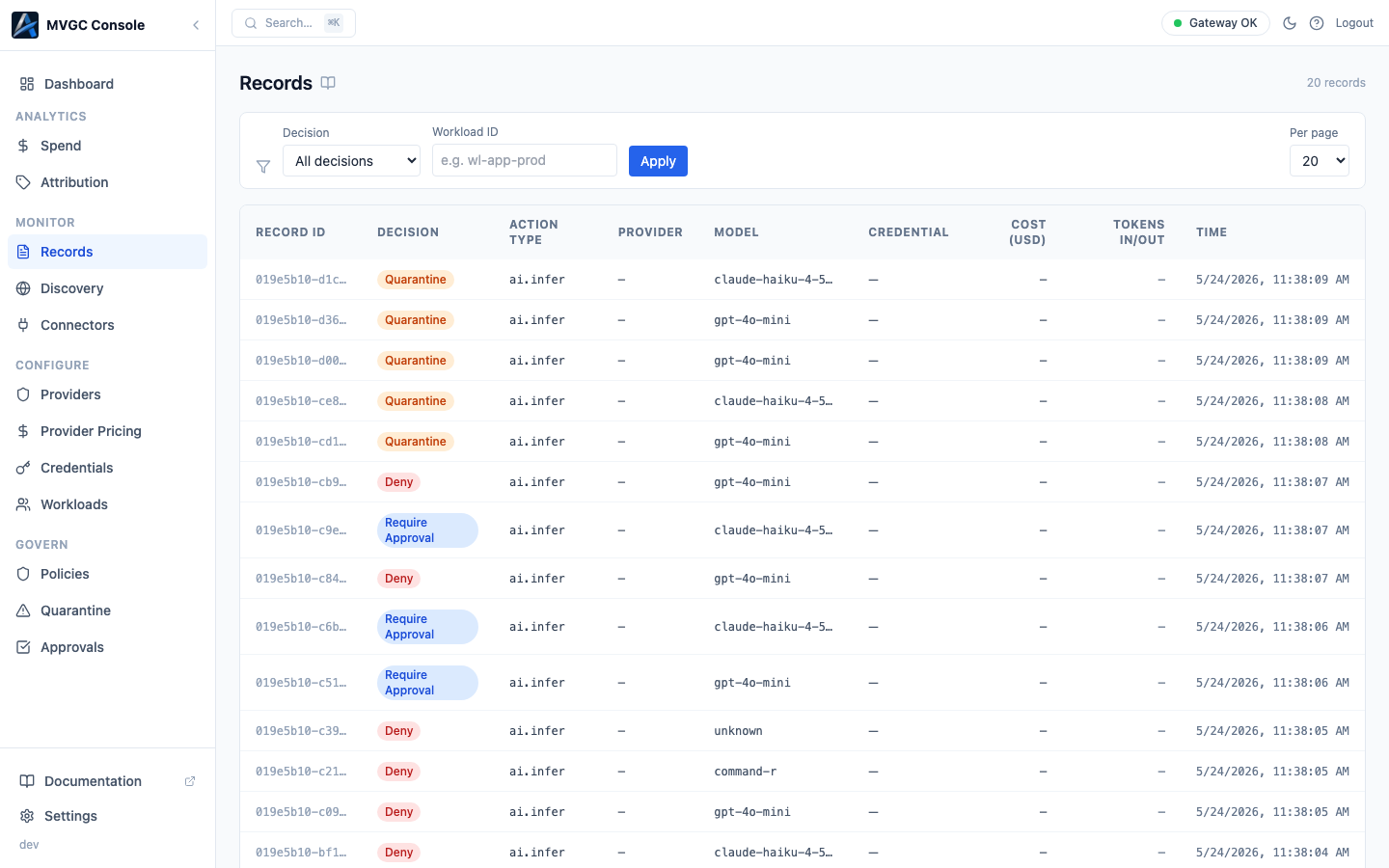
Table columns
| Column | Description |
|---|---|
| Record ID | Truncated identifier (first 12 characters) |
| Decision | allow, deny, rate_limited, quarantine, or require_approval |
| Action Type | The type of AI operation (e.g., chat completion, embedding) |
| Provider | The connector the request was routed through |
| Model | The model requested |
| Credential | The credential used to authenticate with the provider |
| Cost | Estimated cost in USD |
| Tokens In / Out | Input and output token counts |
| Time | When the request arrived |
Filtering
Two filters are available at the top of the page:
- Decision: drop-down with
All,allow,deny,rate_limited,quarantine,require_approval - Workload: text input; filters to records from a specific workload ID
Record detail
Click any row to expand the record detail panel inline below it. The panel is organized into sections:
- Request: Provider, Model, Action Type, Node
- Identity: Credential, Credential Mode, API Key, Workload
- Attribution: Account, Customer, Billing Owner
- Usage: Tokens In, Tokens Out, Cost USD
- Metadata: Time, Org, Ingress Mode, and conditionally: Caller IP, Delegation ID, Bundle ID
- Labels: any labels attached to the record
A colored banner at the top of the detail panel shows the decision and the decision reason.
Pagination
Records are paginated with token-based navigation (Previous / Next). The rows-per-page selector offers 10, 20, 50, or 100 rows.